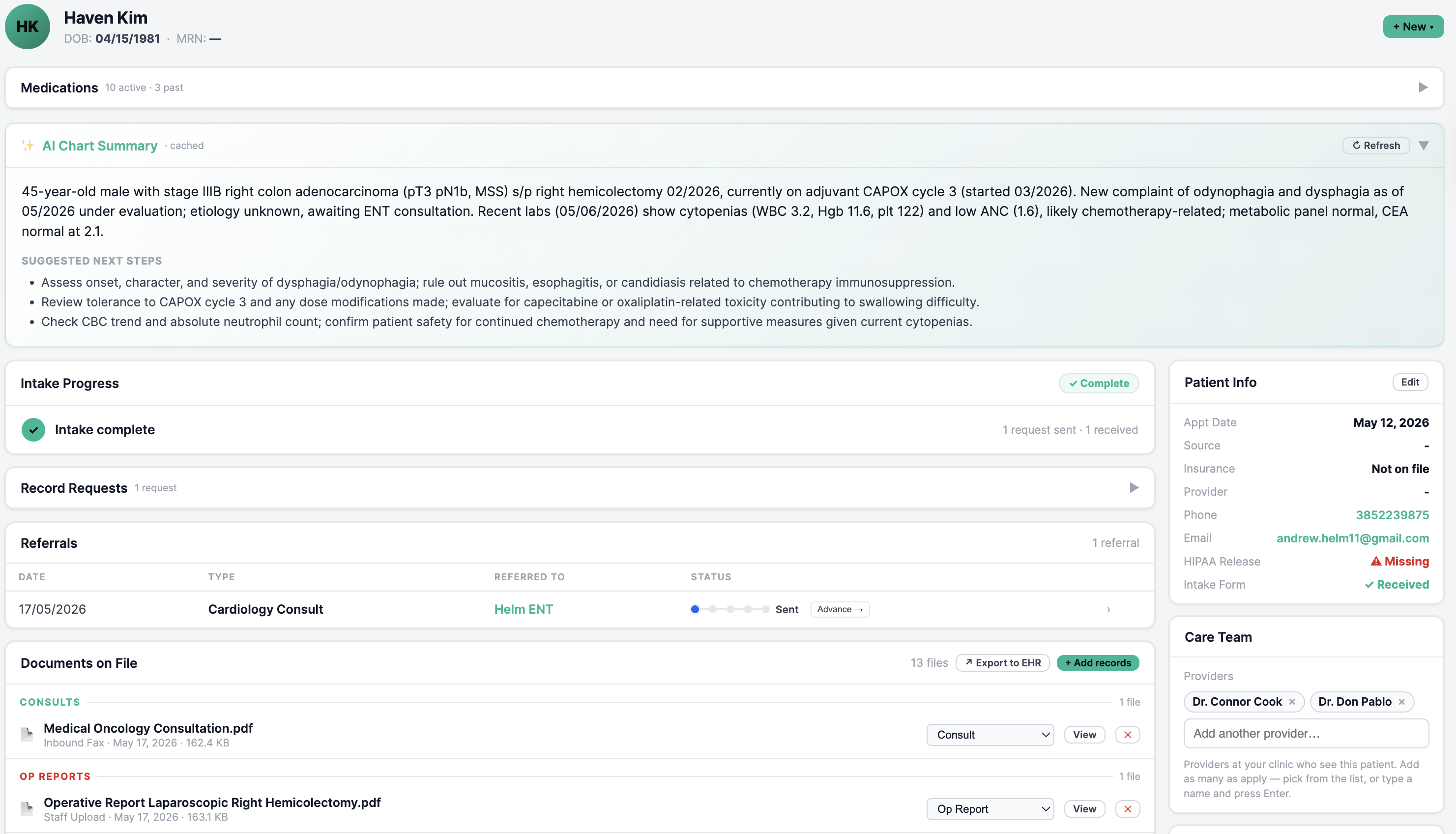
Every fax, referral, record request, prior auth, insurance check, and patient intake — read, sorted, and handled automatically.
Forward your fax line and share your schedule — every incoming fax and new patient starts flowing in. No EMR integration, nothing to install.
Every page is read, categorized, and routed — records to the right chart, referrals into tasks, bills to billing, results to the provider. Records get chased, insurance verified, intake collected.
Every chart is organized and ready before the appointment — records filed, results in, referrals logged. Your providers walk into each visit already up to speed, focused on the patient instead of the paperwork.
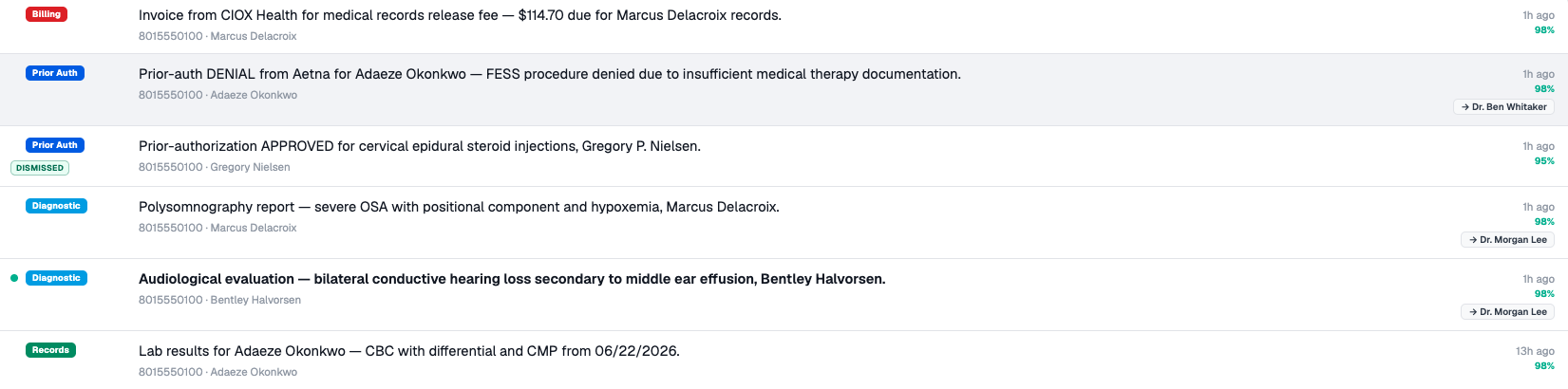
Point your fax line at Ownity and the pile sorts itself — every incoming page read, categorized, and routed to the right chart or the right person. And each fax comes with a one-tap action right in the inbox: file it, route it, flag it for the provider, or fax a reply. Your team clears the fax pile in clicks, not hours.
Every morning, Ownity ranks everything that needs attention into one to-do list — overdue records requests, charts not ready for tomorrow's visits, outstanding intake, faxes waiting on a decision. Your team sits down knowing exactly what to work first.
Open a patient and Ownity gives a two-sentence chart summary plus two or three suggested next steps based on the records on file. The provider walks in already oriented, without 15 minutes of pre-reading.
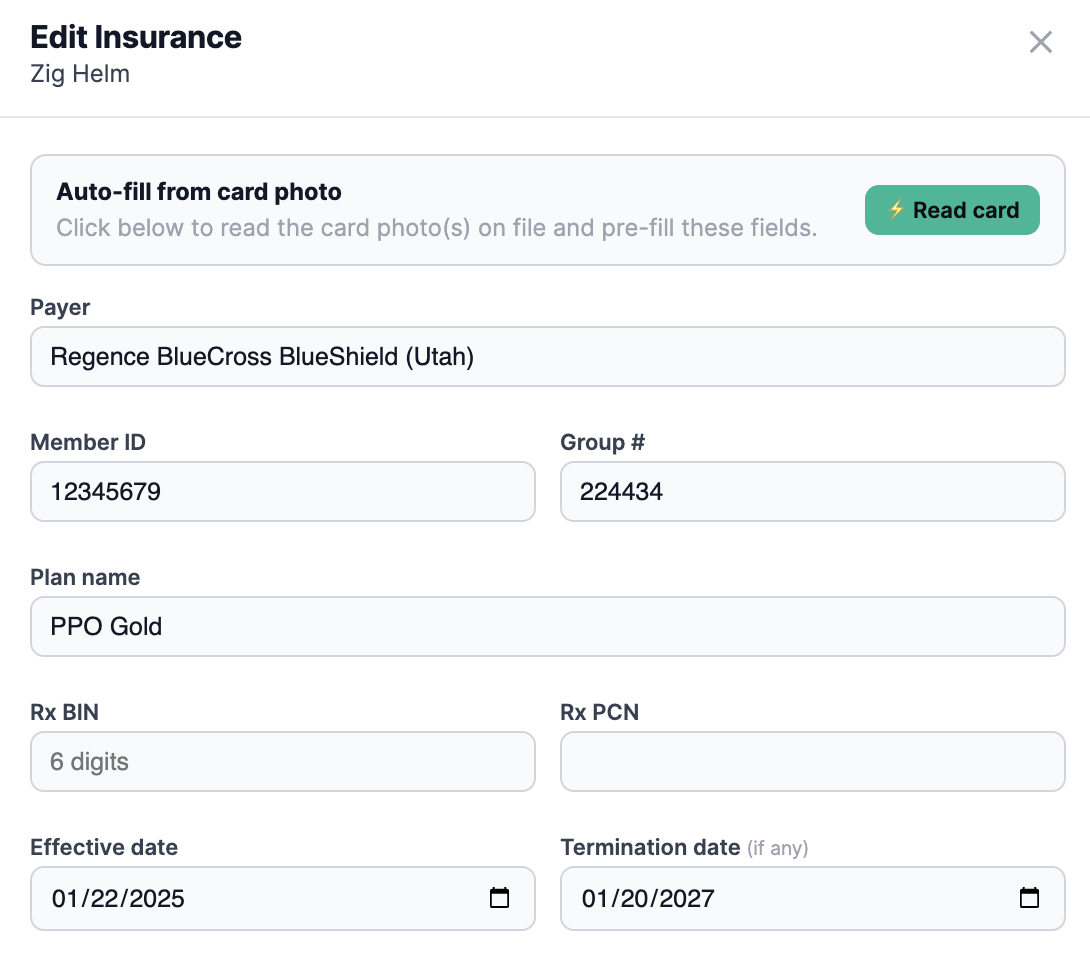
Patient takes a photo of their card at check-in. Payer, member ID, group number, plan, Rx BIN/PCN, and subscriber details all auto-fill — and Ownity runs an eligibility check on the spot. Staff confirm instead of transcribing.
One click sends the request to the prior clinic. We follow up, log the reply, and tell you when records land. Five clear stages, no sticky notes.
Every page that hits your fax line is read and categorized — records, referrals, prior auths, billing, results, junk — each with a one-click action: file to the chart, route to billing, flag for the provider, or fax a reply. Your team stops sorting the pile.
Every inbound referral is read and logged the moment the fax lands — patient, reason, and urgency captured, and routed to the right provider. Nothing gets buried in the pile or lost in a stack of paper. Off-specialty referrals are flagged to redirect, and cancellations clear themselves — so your new-patient pipeline never leaks.
Ownity tracks every authorization and reads the chart to pre-fill the request — diagnosis, prior treatments, imaging — then assembles the packet. Payer approvals and denials get captured back automatically when they fax in.
A pharmacy refill or an FMLA / disability form comes in; the provider approves in a tap or Ownity drafts the answers from the chart, they sign, and it faxes back to the pharmacy or requester — no phone tag, no stack on the desk.
Incoming labs, imaging, and pathology file to the right chart automatically — and anything flagged abnormal is held for the provider to acknowledge, so nothing critical slips through the fax pile.
Ownity runs on its own — nothing to plug into, nothing to install, nothing to rip out. Your team keeps using whatever they have today, and Ownity hands you the records when they land.
Every file arrives tagged by patient, sending clinic, and date. Your team finds anything in two clicks instead of digging through a fax pile.
Send a new patient an intake link by text or email — insurance card, prior providers, and HIPAA release come back before they walk in, and the card photo auto-fills coverage.
The prior clinic gets a one-time link, drops in the records, and you're notified the moment they arrive.
Office managers see every fax, records request, intake form, and eligibility check in one place. Who's late, what's coming Friday, what needs attention today.
Records sort themselves by provider. Dr. Smith opens her queue and sees only Dr. Smith's patients. No wading through the whole clinic.
Coverage is checked against the payer automatically — the moment a card photo lands and again ahead of the visit. Front desk knows what's active and what it covers before the patient sits down.
Ownity checks each patient's plan against the payers you accept and flags anyone out of network — so your team can warn them and head off a surprise bill before the visit, not after.
Records requests alone, for a 4-provider clinic handling about 400 a month:
Based on 30 minutes of staff time per request at $22/hr fully loaded; Ownity completes each request 10× faster — and that’s before referrals, prior auths, and the rest of the fax pile.
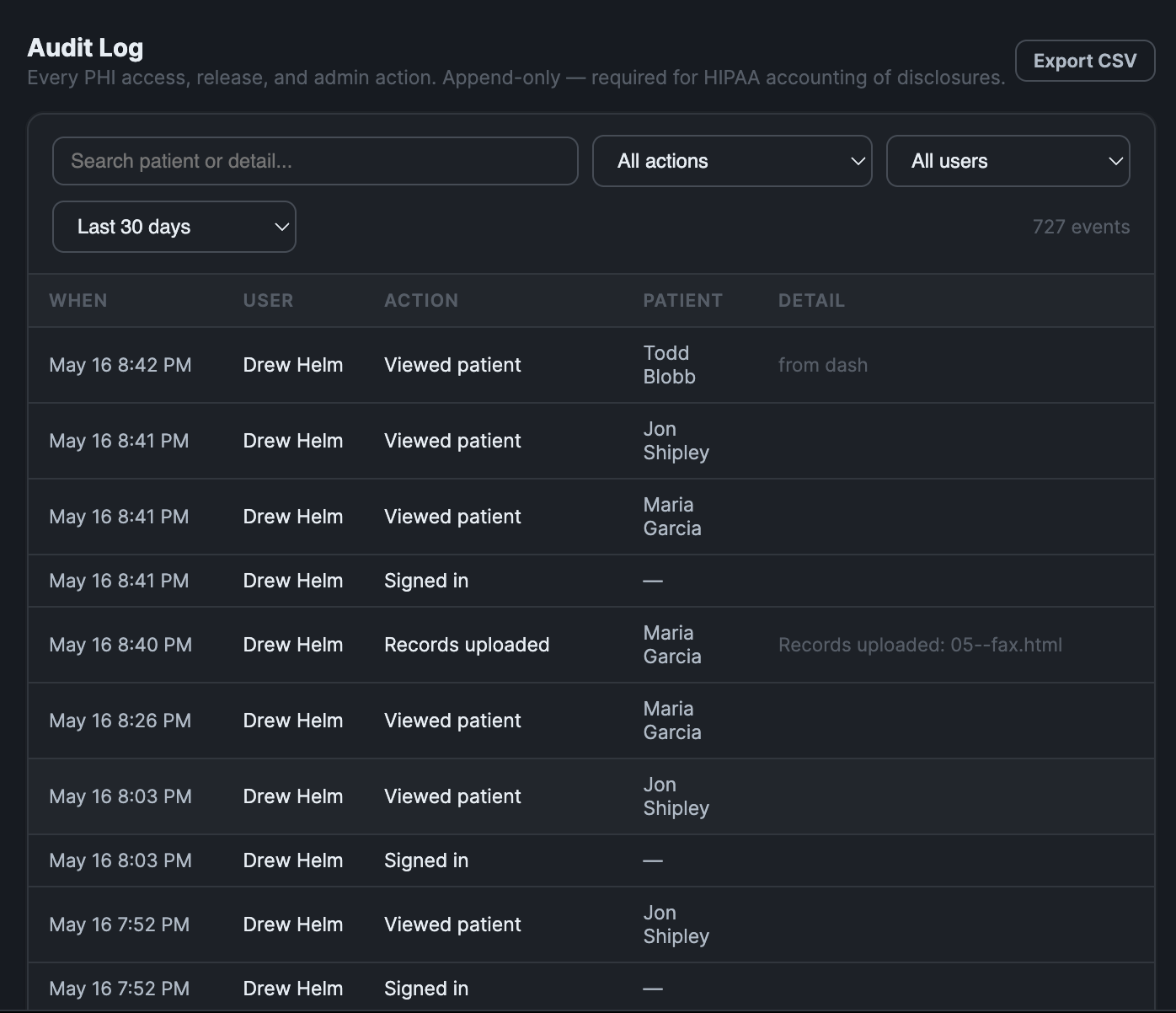
Signed BAA before any PHI flows. AES-256 encryption at rest, TLS in transit. Per-clinic data isolation so a leaked token can't cross tenants. And an append-only audit log on every read, write, download, and share — attributed to a real user, timestamped, immutable.
Tell us a bit about your practice and we'll take you straight to scheduling.